
Inactivity Notifications can be set to alert you when your Blipbr has been inactive for a period of time.
You can find these by selecting a Device in the Device Pane, and then click the pencil icon and scroll down the page until you see Inactivity Notifications:
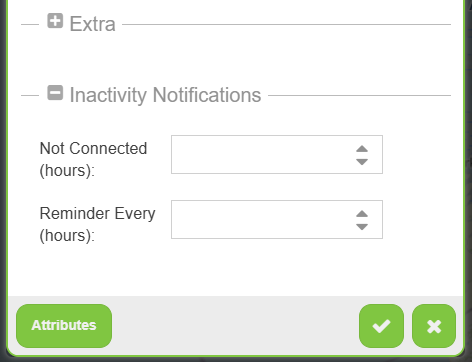
First, set your "Not Connected (hours) value which will cause an alert to be sent when your Blipbr device has not connected for the number of hours you have set. A number greater than 12 hours (as Blipbr's perform twice daily heartbeats) should be set, example: 24 hours. This would mean your Blipbr has missed two daily heartbeats so you may wish to be alerted.
The Reminder Every (hours) will repeal the alert, so perhaps set every 48 hours, so that you are reminded to check on your device, but not too frequently!